









Sessions and logout-all
Sign in on many devices. One action revokes every session.
Verification platform
A production membership platform that connects subscription choices, member records, digital QR passes, public verification, and administration in one workflow.
UzSU needed membership status that could be checked immediately while keeping subscription, profile, and verification data structured enough for daily administration.
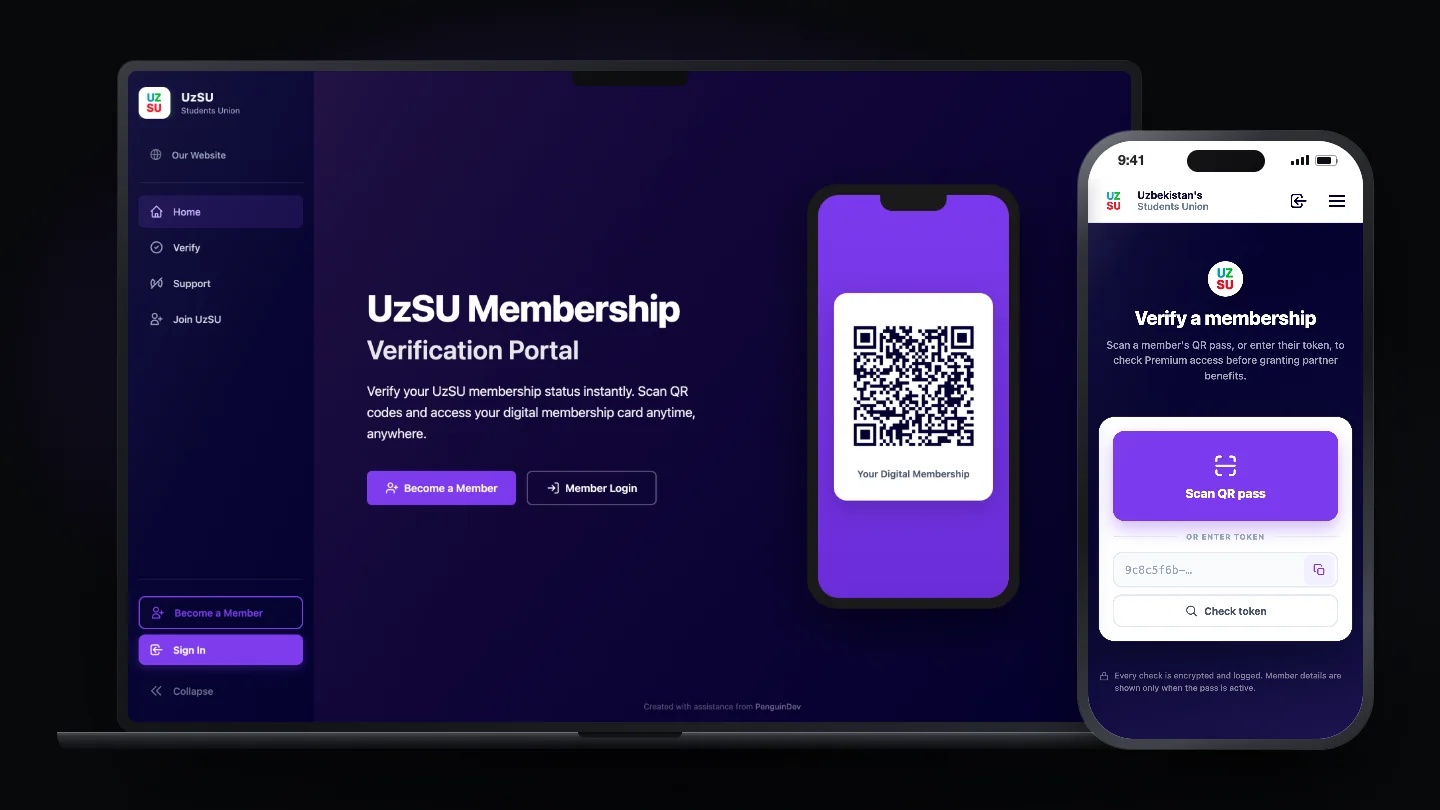
The membership platform on desktop and mobile: plans, member records, QR passes and public verification in one workflow.
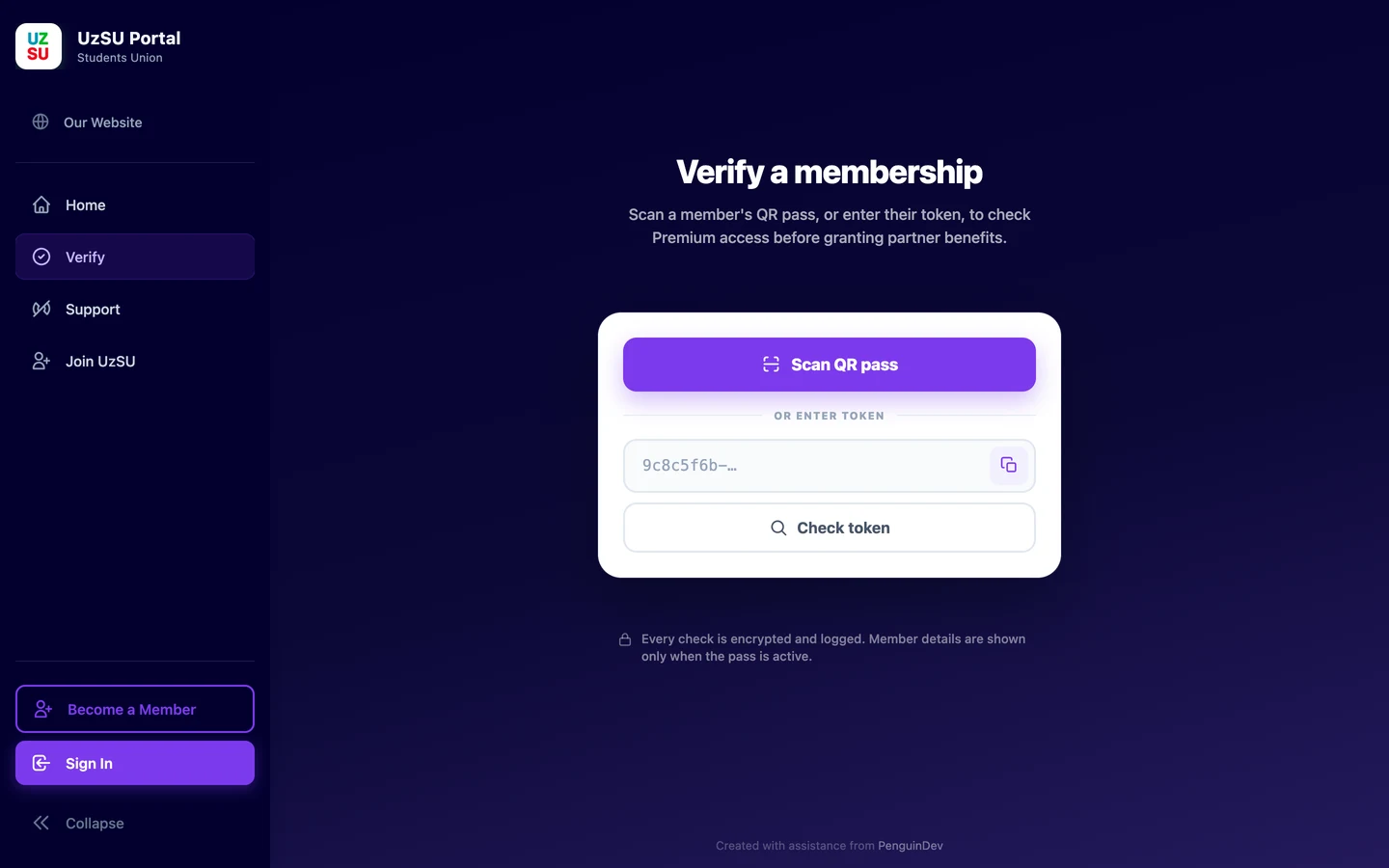
The public checker: scan a member's QR pass or paste the token, no account needed.
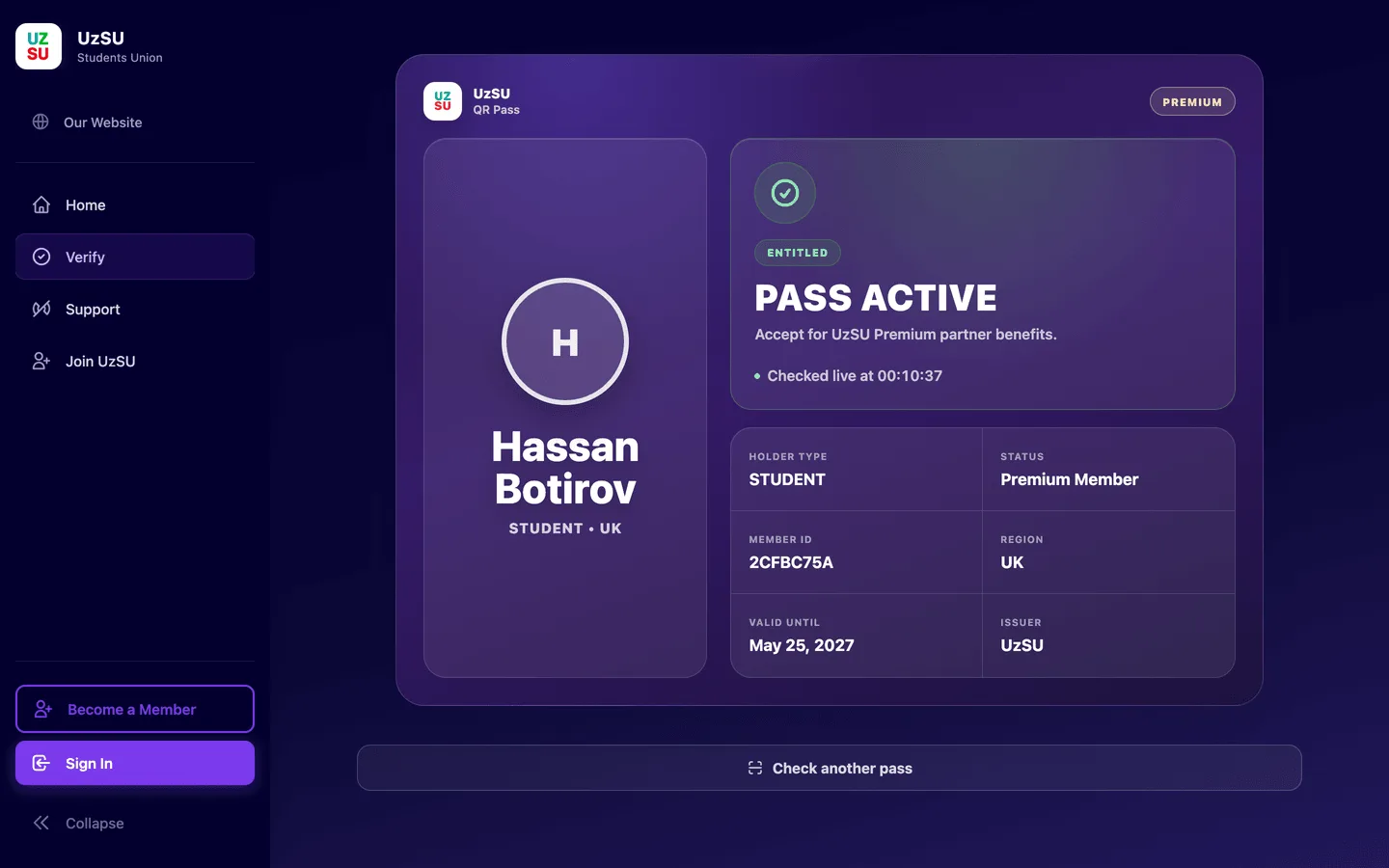
A checked pass resolves to a status, a member type, a region and an expiry date (sample data).
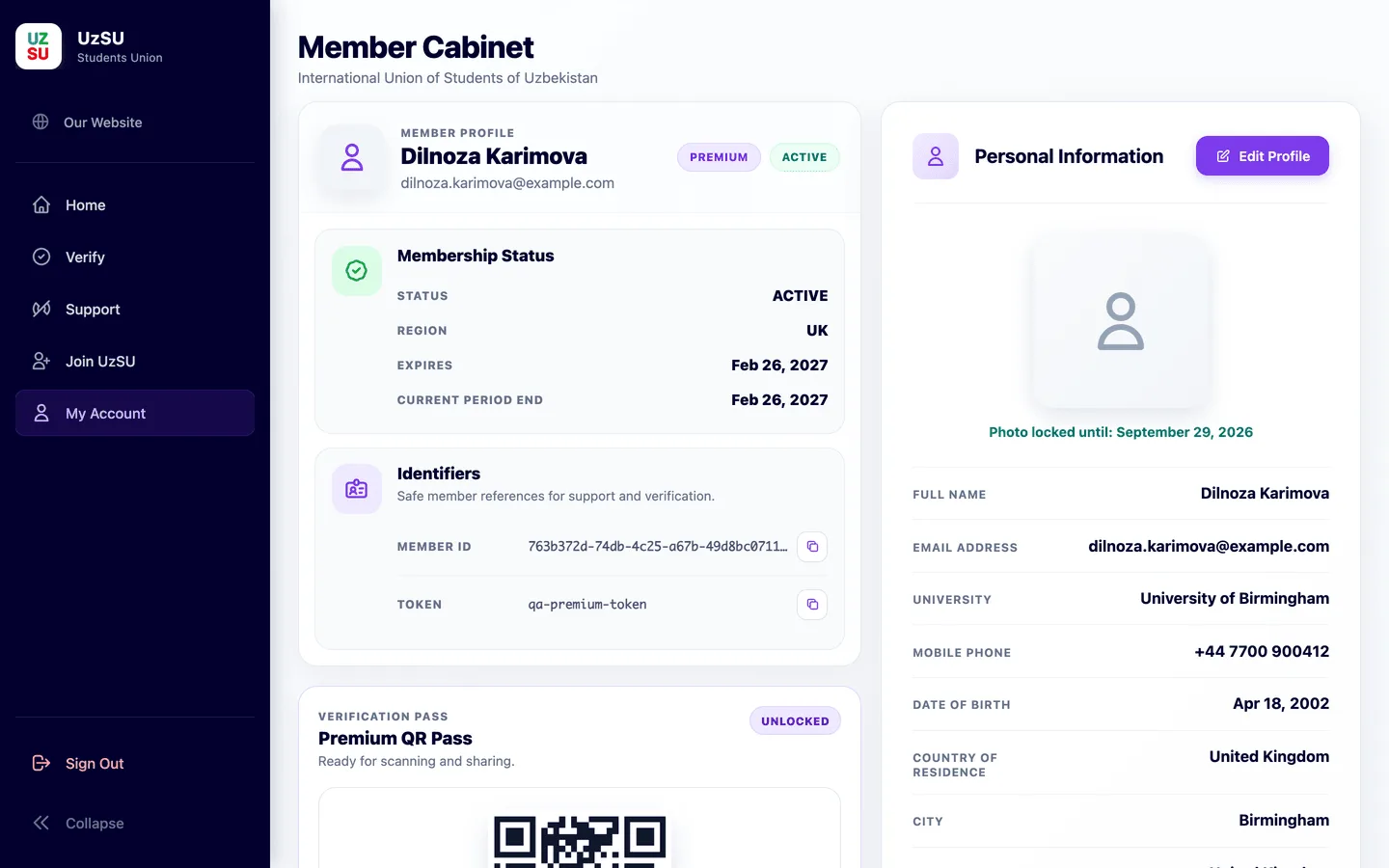
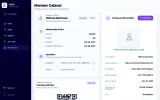
A member's own record: membership status, identifiers, and the profile the pass is issued against (sample data).
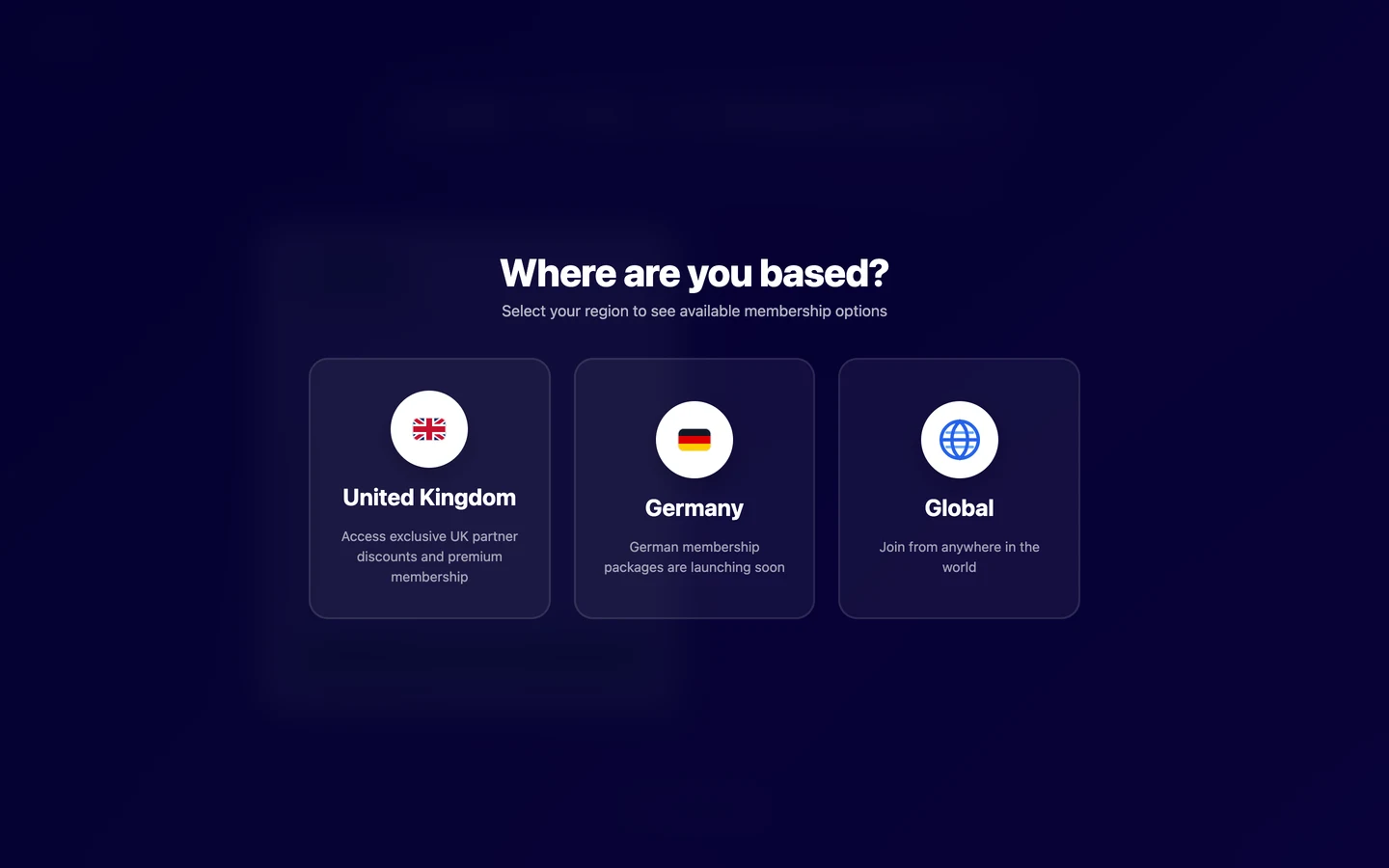
Joining starts with a region: United Kingdom, Germany or Global, each with its own plans.
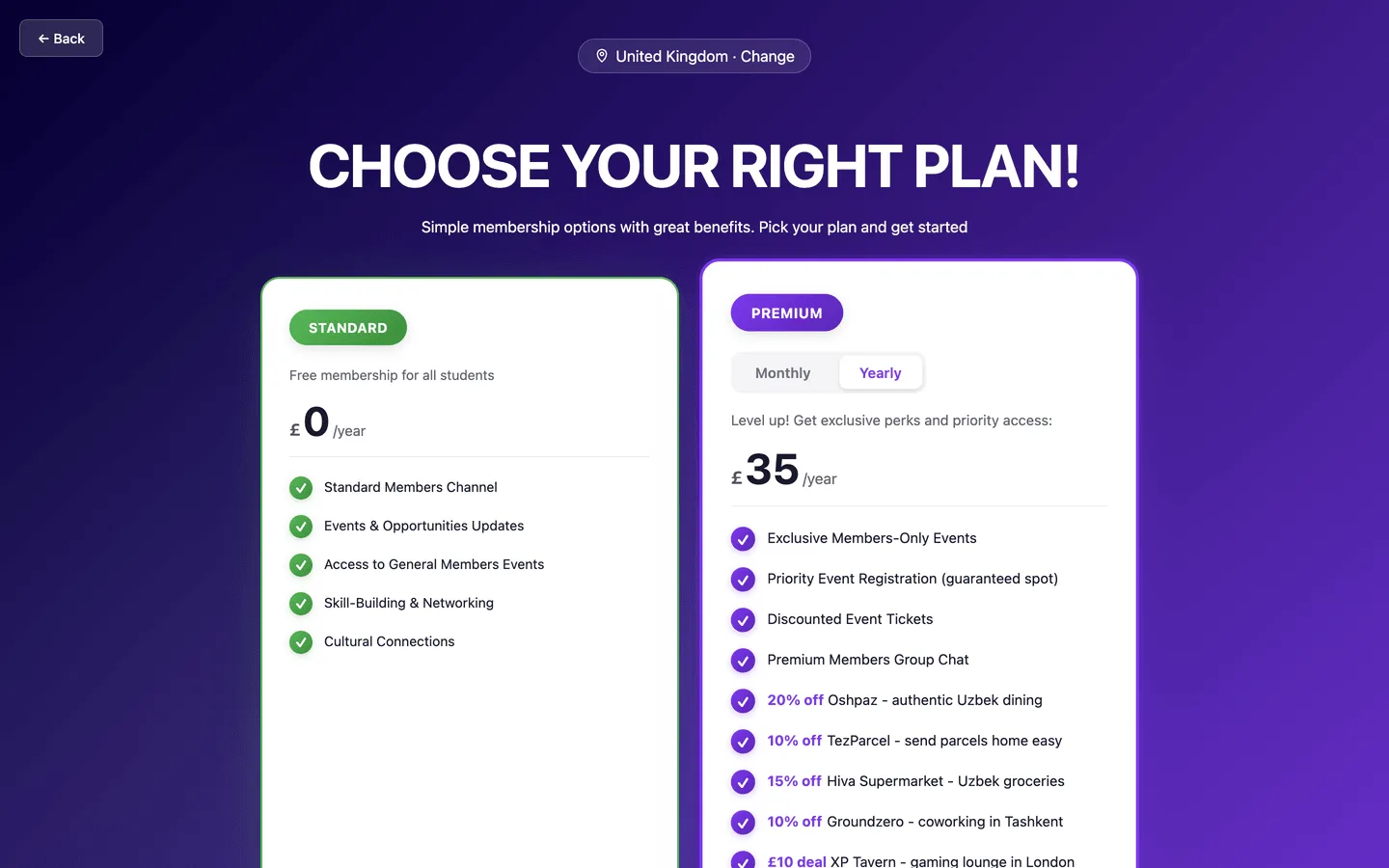
Region decides which plans a student is offered. Standard is free; Premium is the Stripe-backed paid tier.
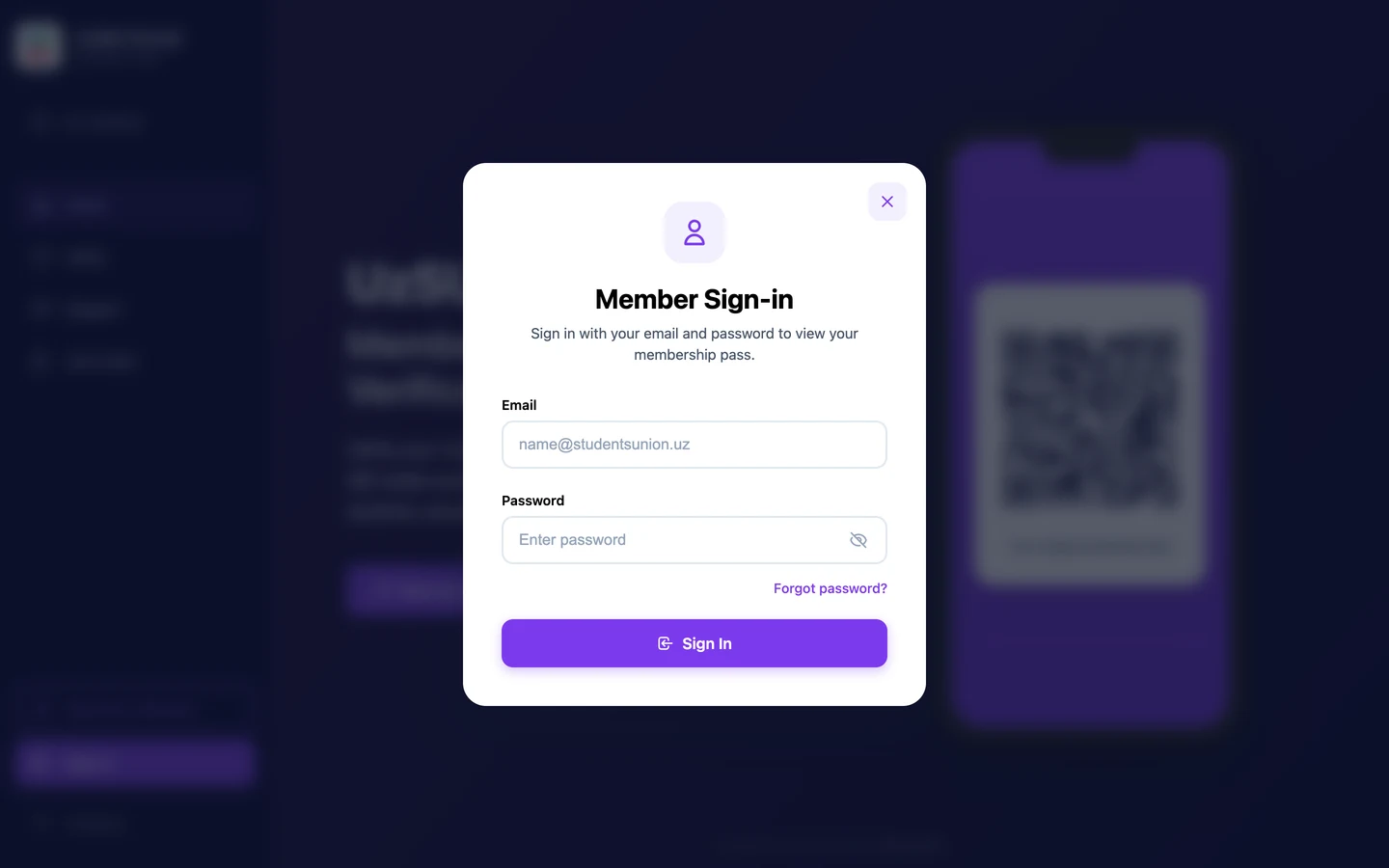
Members sign in with email and password; setup and reset links arrive by email.
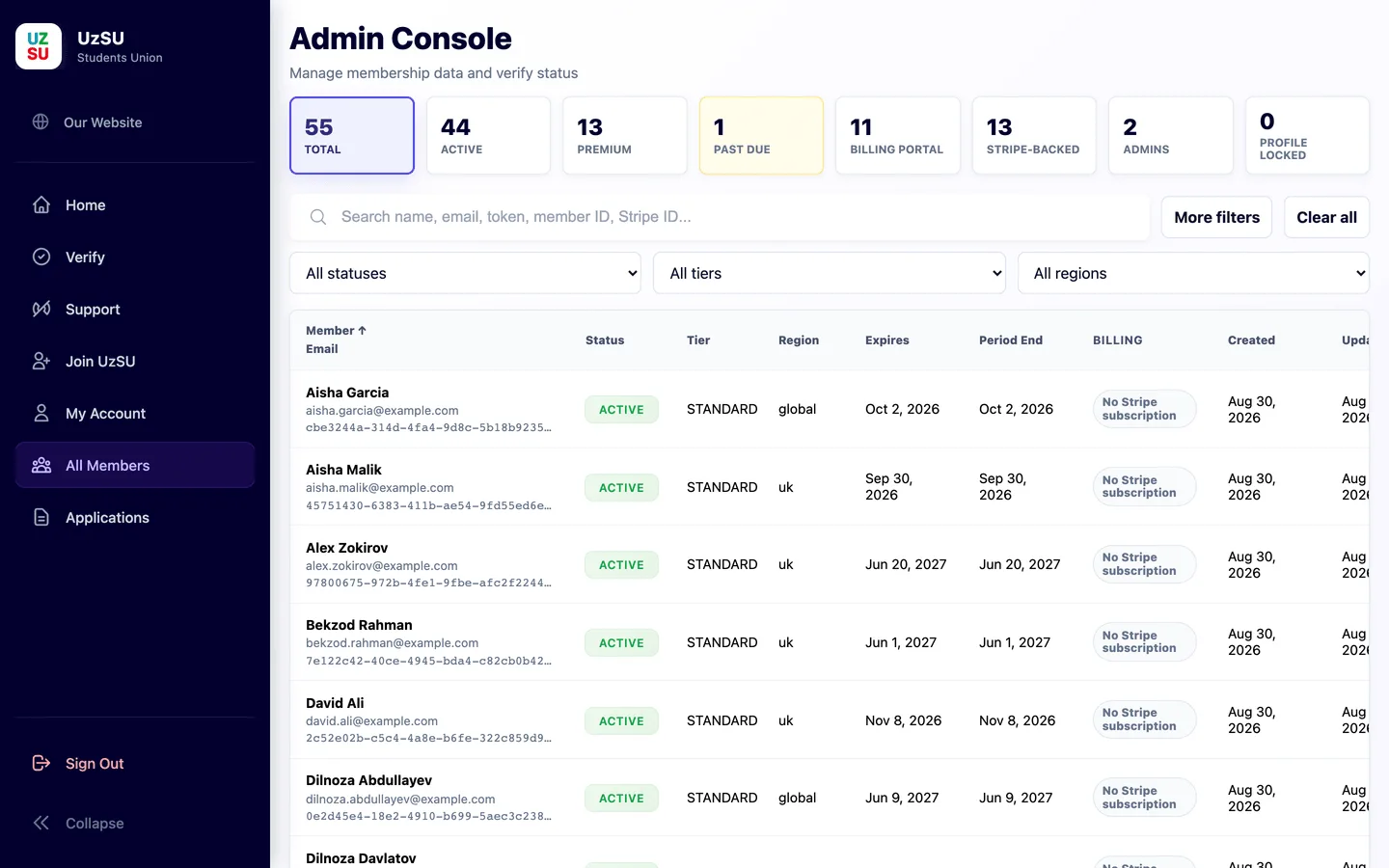
Every member with status, tier, region and billing state, filterable across all three (sample data).
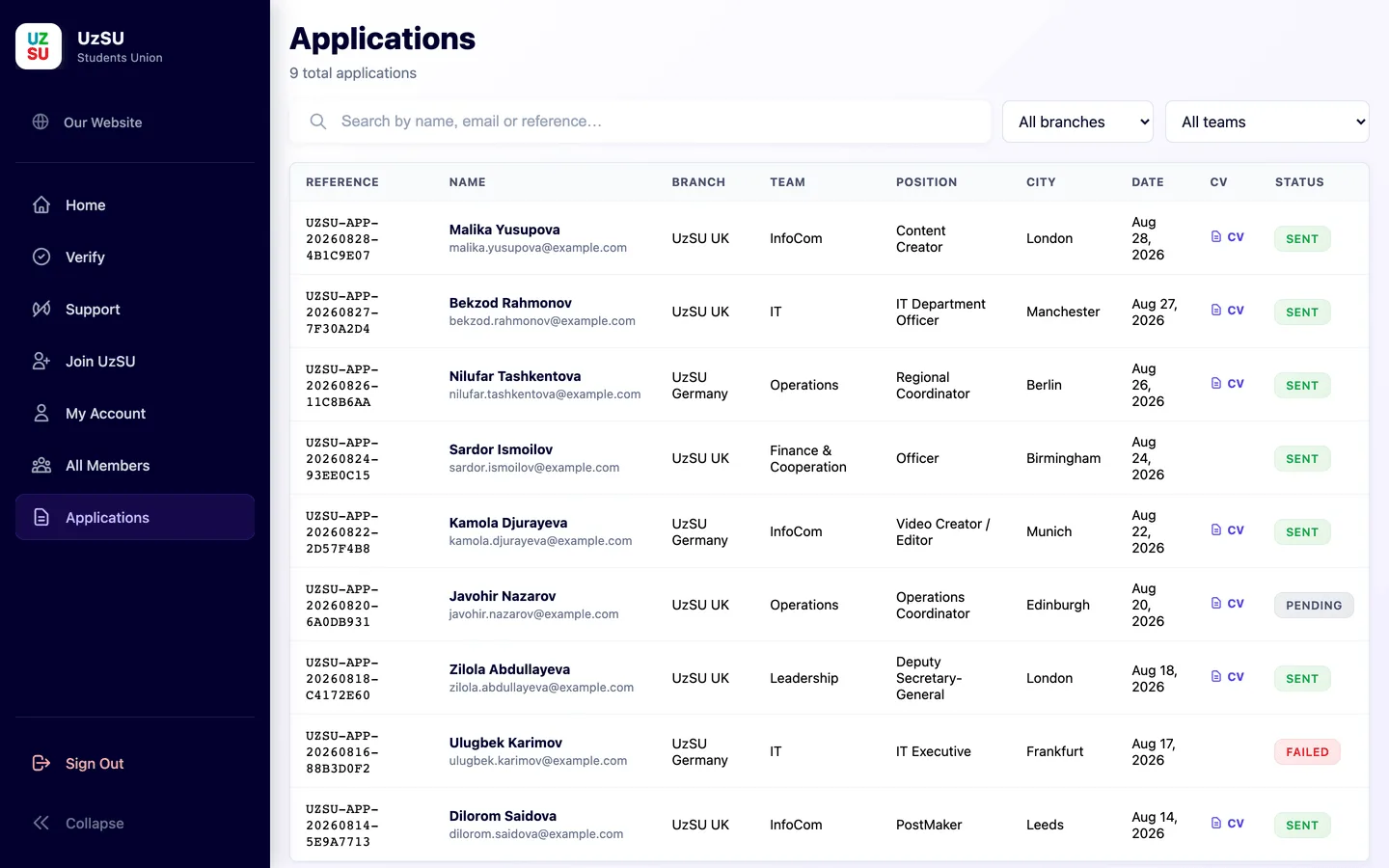
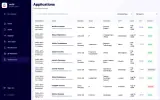
Submissions carry a reference and a delivery state, filterable by branch and team (sample data).
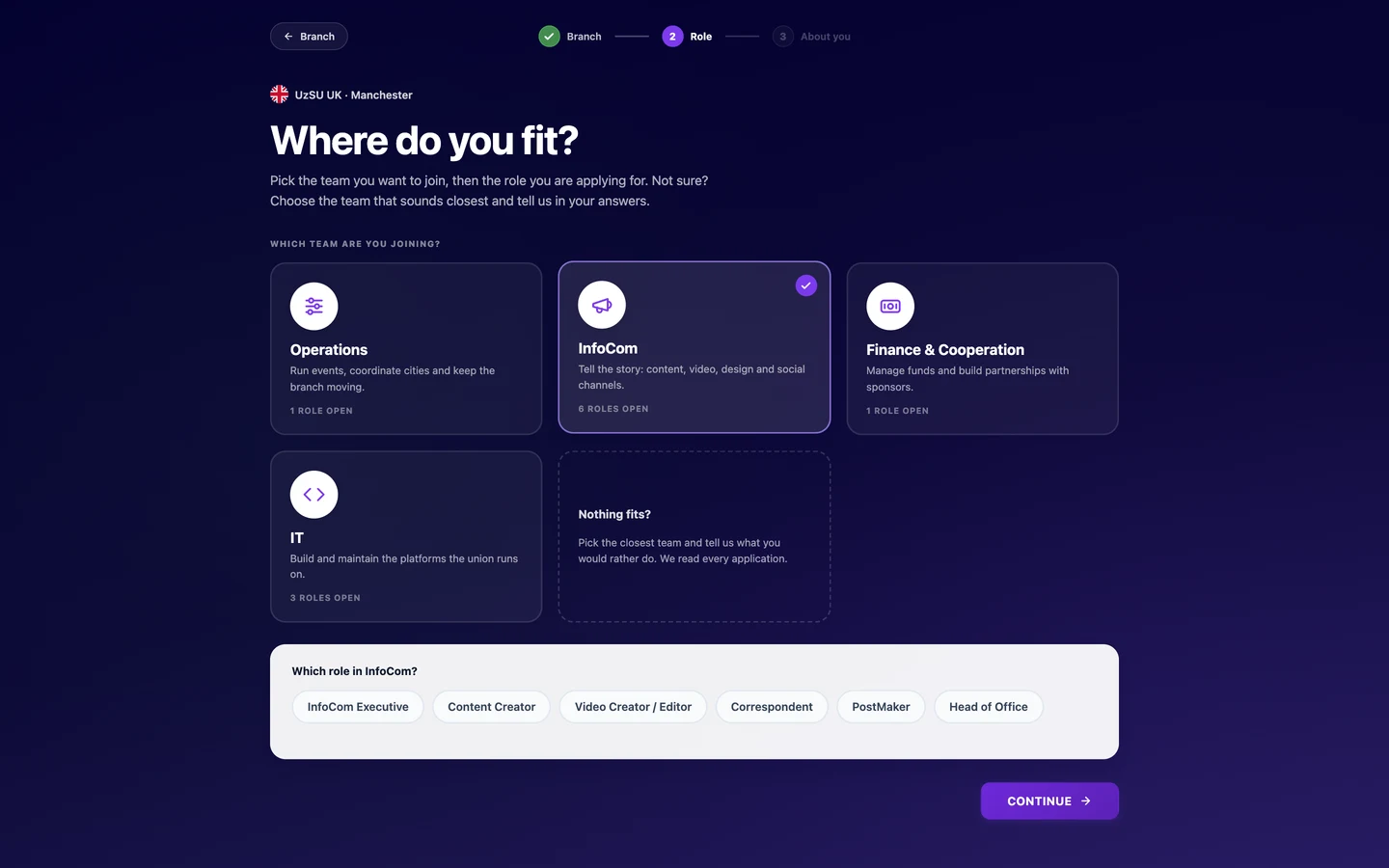
A volunteer picks a team and then one of its open roles, after choosing branch and city.
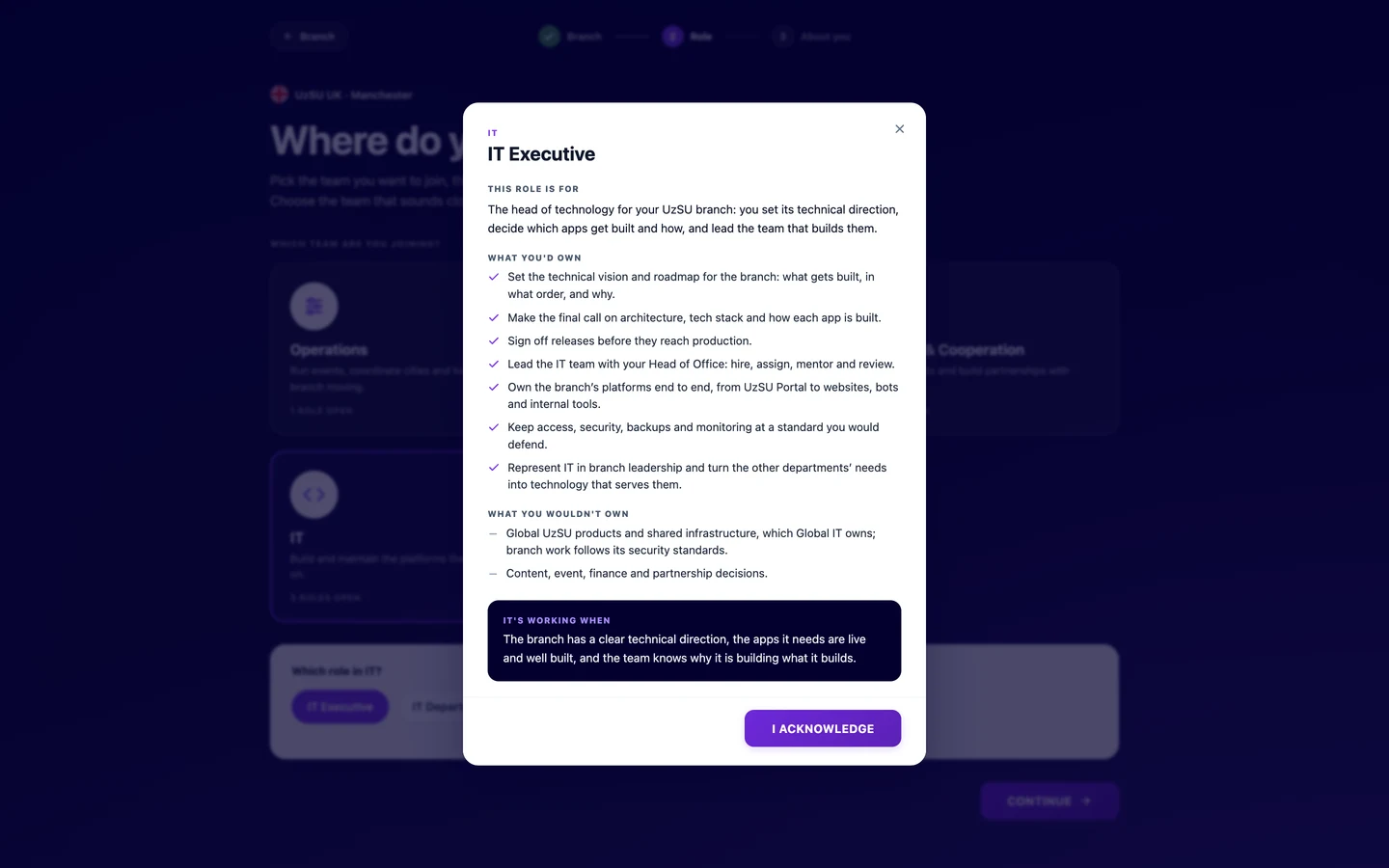
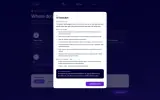
Each role opens a brief of what it owns and what it does not, acknowledged before applying.
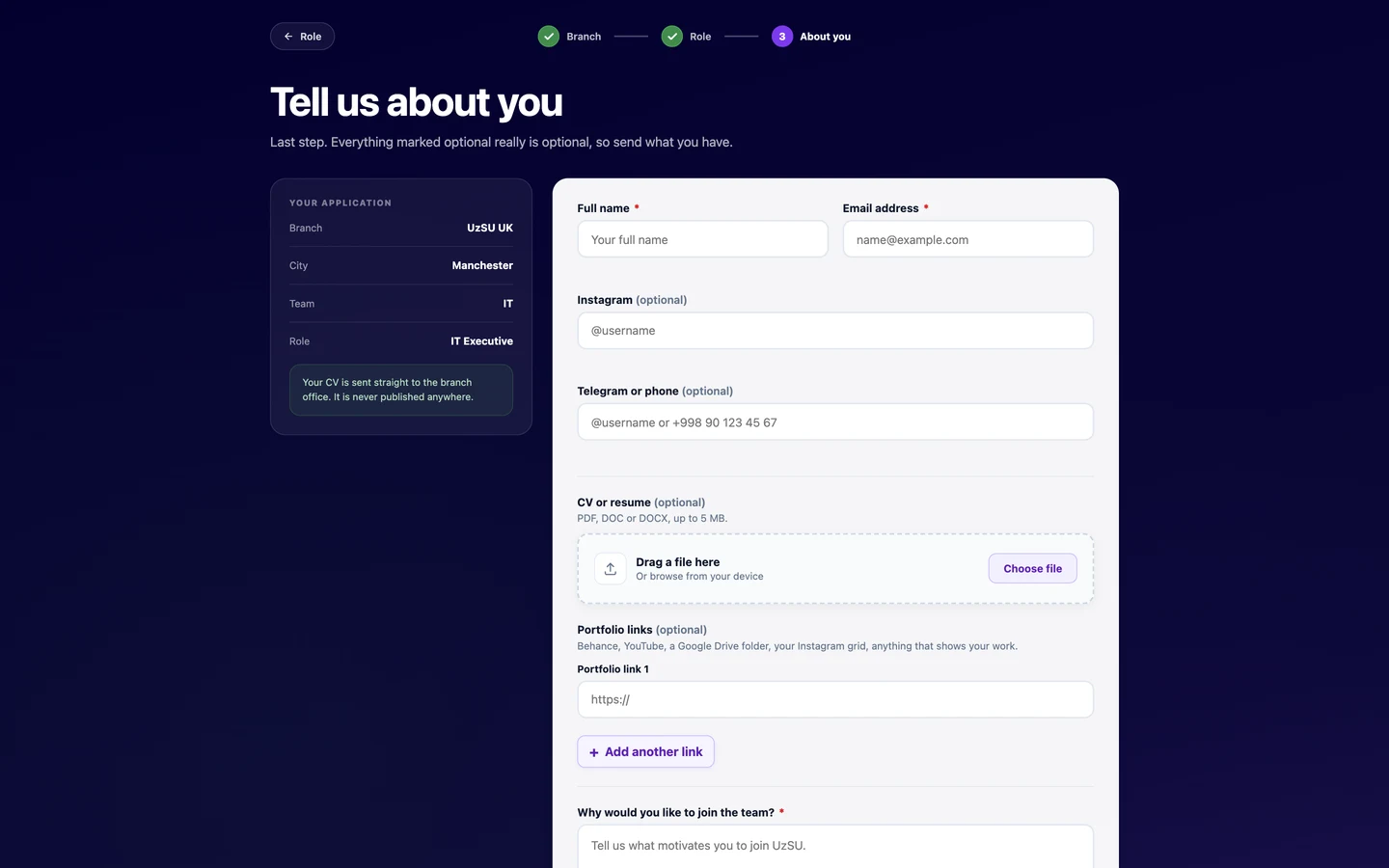
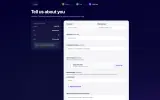
The last step carries the choice summary, CV upload, portfolio links and the motivation questions.
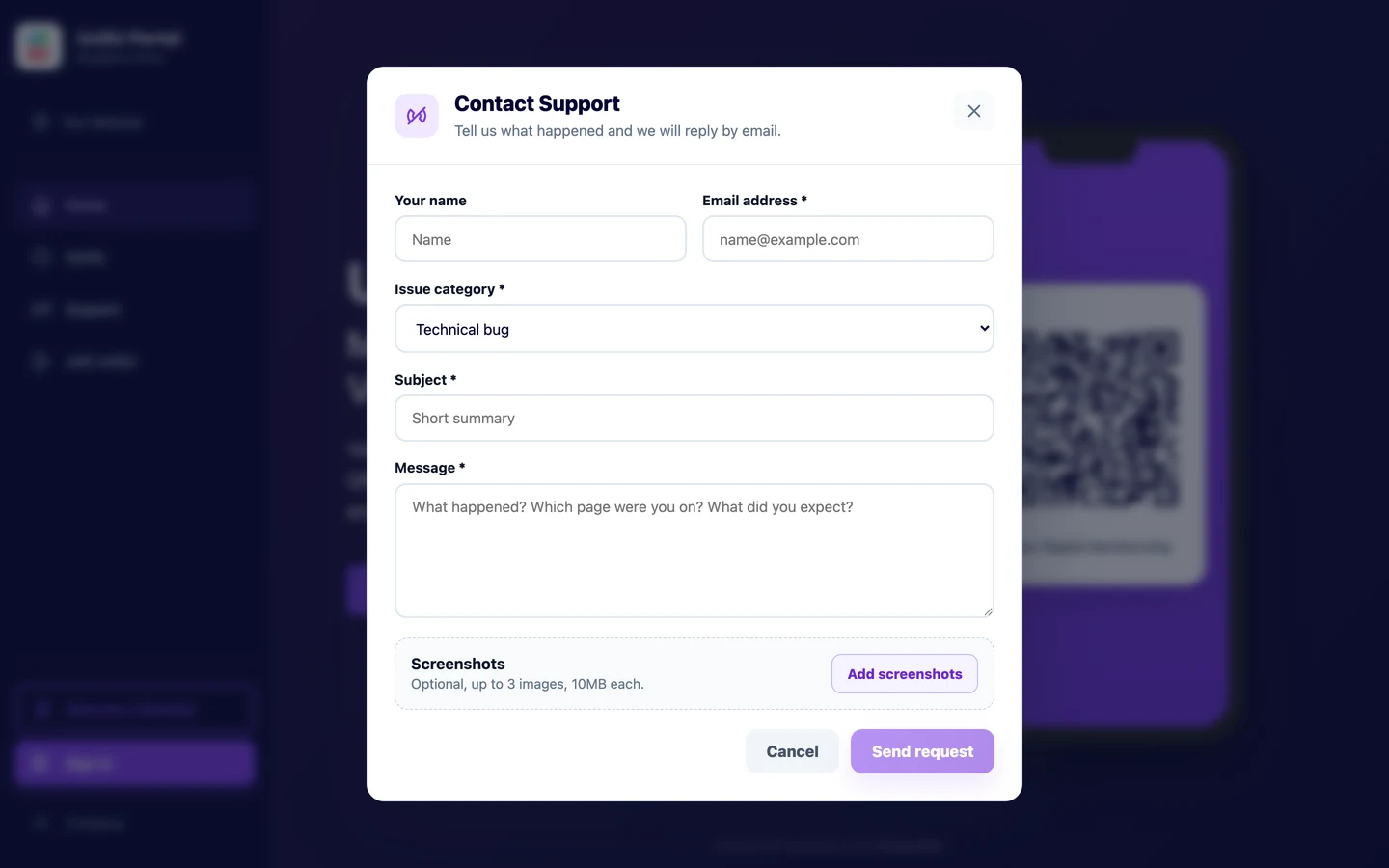
Members and visitors report a problem with a category, a message and up to three screenshots.
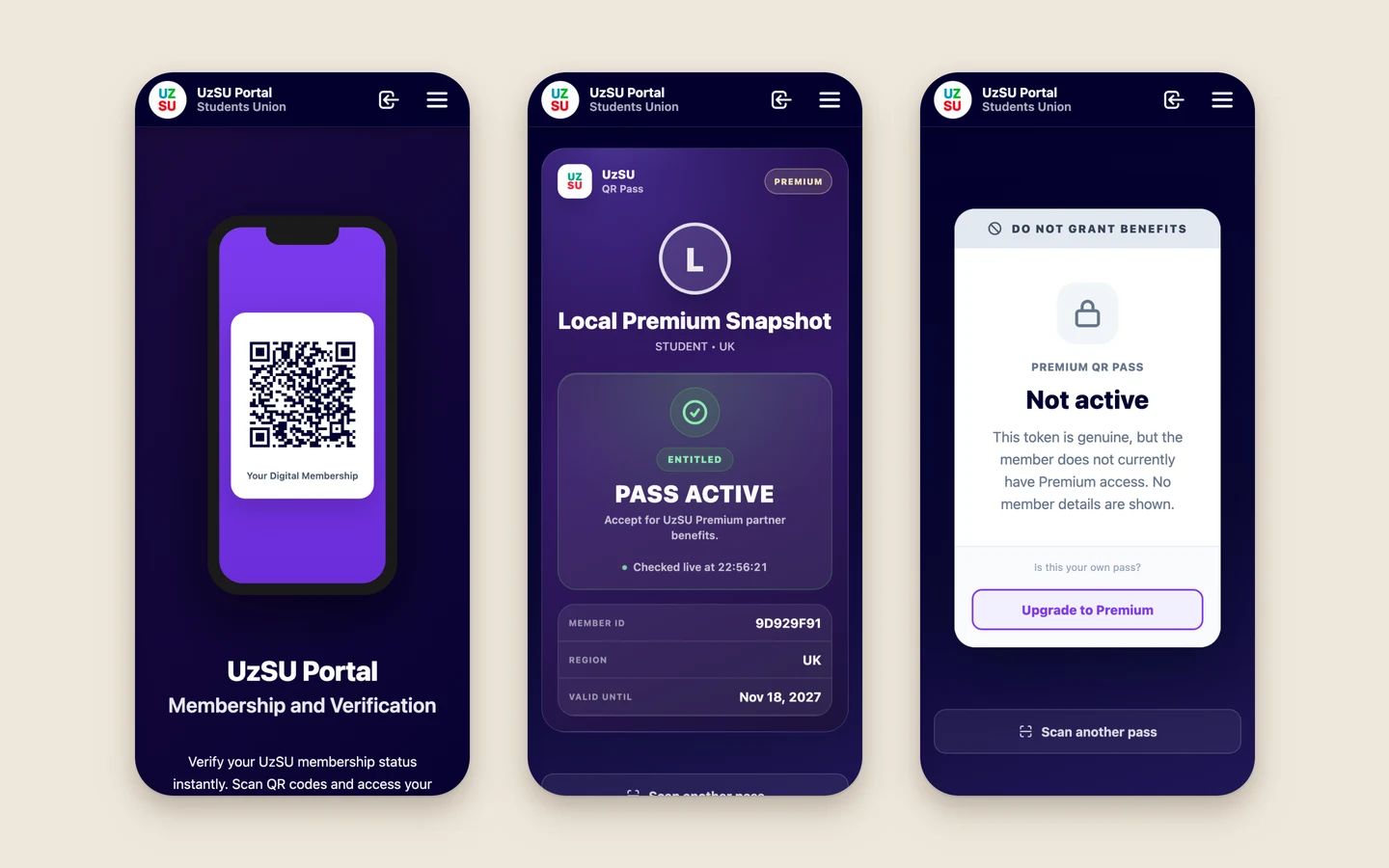
The landing page, then a scanned pass that resolves to active or to not active (sample data).
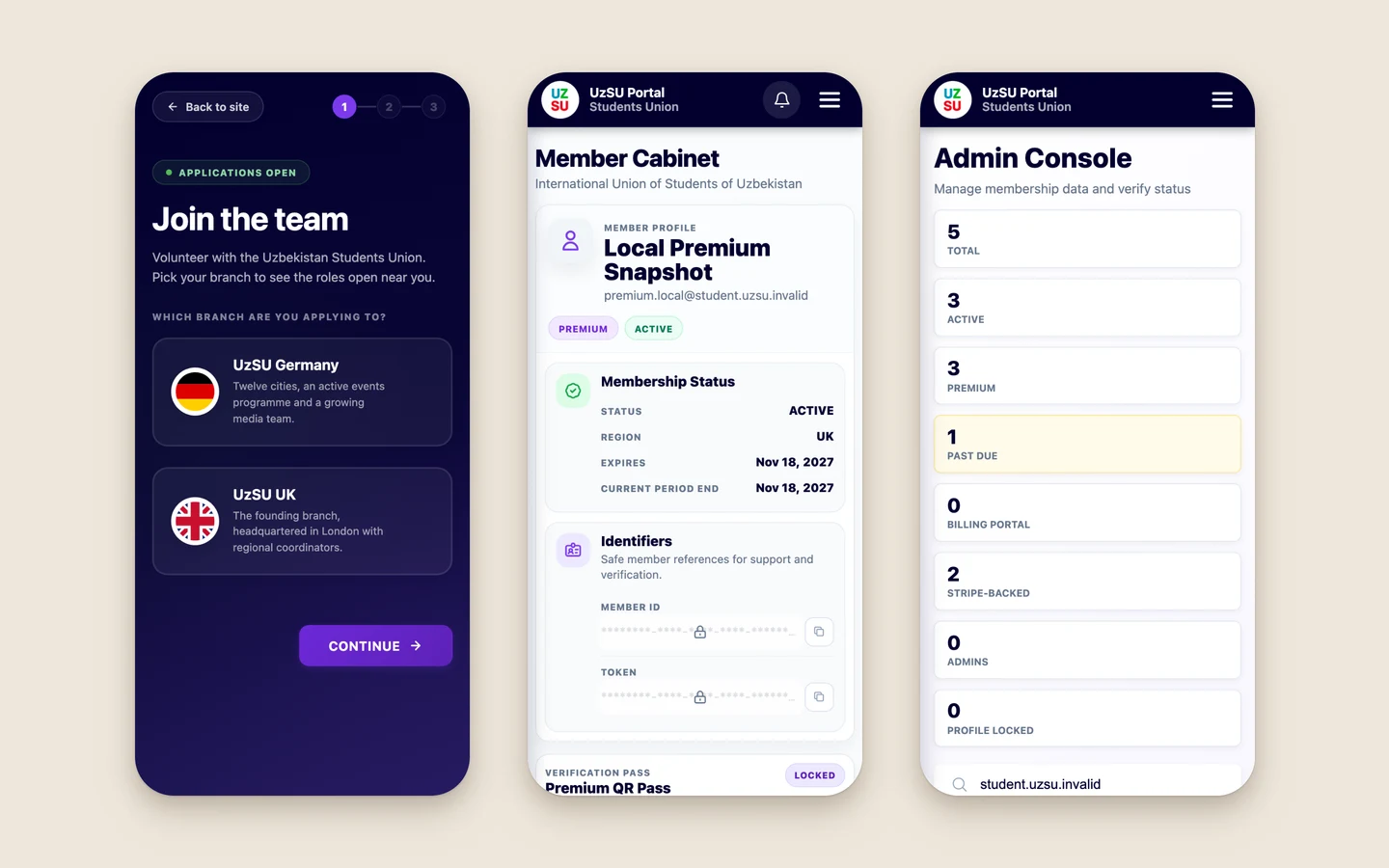
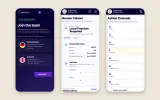
The volunteer branch choice, a member's cabinet and the admin counts, each on a phone (sample data).
Sign in on many devices. One action revokes every session.
The pass keeps working while a payment is past due.
No name, email, photo or expiry. Only valid or not.
72 hours to set up, 30 minutes to reset, one transaction.
12-hour admin sessions. Admins issue links, never set passwords.
Ten account, billing and support events, tracked per member.
Premium members see the partner discounts their membership unlocks.
A public form routes a volunteer to a branch, team and position, with a CV attached.
Submissions carry a reference and a delivery state, filterable by branch and team.
Problems we hit
A member can accumulate multiple membership rows: a historical cancelled record alongside a current active one.
A canonical projection derives the authoritative status, preventing stale or cancelled rows from overriding a valid paid entitlement and vice versa.
Multiple simultaneous forgot-password requests could deliver competing active links to the same member.
One short-lived database lease per member and purpose, with the token ID as the email provider's idempotency key, so concurrent requests produce only one link and provider retries do not re-deliver it.
Browser-declared MIME types and original filenames cannot confirm that an uploaded file is genuinely an image.
The server decodes the raw bytes to confirm the format, rejects multi-frame or oversized files, and re-encodes the result as a clean JPEG.
Password setup and reset secrets passed in query strings appear in server logs and browser history.
Fragments never reach the server. The browser retains the fragment only in memory during a temporary validation failure, to allow a safe retry.
Decisions we made
The central decision was to model membership as data, not as a generated image.
The QR pass is only a portable pointer into the current record. Expiry, plan, and active status remain server-controlled, so a previously issued pass cannot become a permanent source of truth by itself.
The second decision was to keep the public verification surface separate from the richer member cabinet and administration views.
Public verification should reveal only the result needed for the interaction; profile, billing, and internal management information stay behind authenticated access.
The application also connects public acquisition and internal operations.
The same plan definitions shown during signup feed the membership and subscription workflow, rather than creating a disconnected marketing page that staff later reconcile manually.
Contact
For professional opportunities, collaborations, or selected freelance work.